Contact Home App: Dialer, contacts and people-first launcher
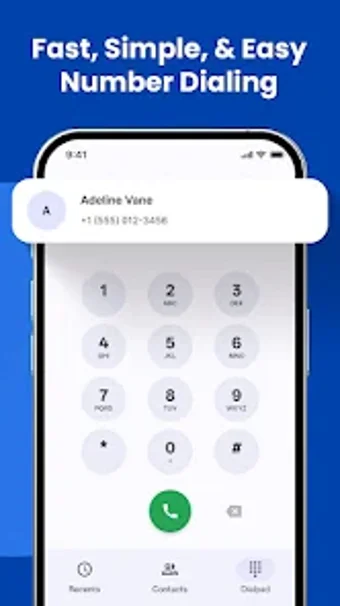
Contact Home App, developed by Ujas Leb, is a people-first communication hub for Android that replaces the home screen with direct contact access and quick-call tools. The app combines a phone dialer, contact manager and a home launcher to reduce multi-step navigation for calls and follow-ups. Key capabilities include T9 search, after-call smart actions and theme options. It targets Android users who need faster, contact-centric access on a single device.

Unlock your creativity with Adobe Stock
Get 10 images or 1 video with a free trial
What the app does day to day
The app functions as a hybrid dialer, contact manager and home launcher, so the core communication model is device-centred. It provides an integrated phone dialer with T9 search, a people-first home screen to pin frequent contacts and a consolidated call history for incoming, outgoing and missed calls. These elements combine to reduce the number of taps required to reach or follow up with a person from the device itself.
How private are your conversations on the app?
The app operates with on-device contact management and call logging, which indicates local handling of phonebook entries and call history. The feature list describes contact editing and call tracking but does not state any specific cloud sync, account requirement or encryption protocol. Users who require documented end-to-end encryption or cross-device cloud backup should treat those capabilities as unspecified in the current feature set.
Is setup and daily use straightforward for most people?
Setup can be direct: the launcher component can be set as the default home app via Android settings, and the dialer supports rapid contact matching through T9. The interface offers Light and Dark themes and claims a lightweight design intended to keep resource use low. After-call smart actions present immediate follow-up options, which reduces context switching after calls.
How does it handle notifications and device reach?
The listing emphasises on-device workflows rather than cross-device sync and specifies Android as the platform, requiring version 7.0 or later. Notification controls are not detailed in the feature summary, so users will rely on system notification settings for interruption management. The app’s Android-only scope means desktop or alternate-device continuity is not part of the documented feature set.
A practical, device-focused choice with explicit platform limits
Contact Home App is a pragmatic option for Android users who prioritise immediate, home-screen access to people and fewer steps between interactions. One important consideration is the app’s Android-only scope and the absence of stated cloud sync or encryption details, which matters for users needing cross-device continuity or documented data protections. It suits single-device users seeking faster contact access on their phone.